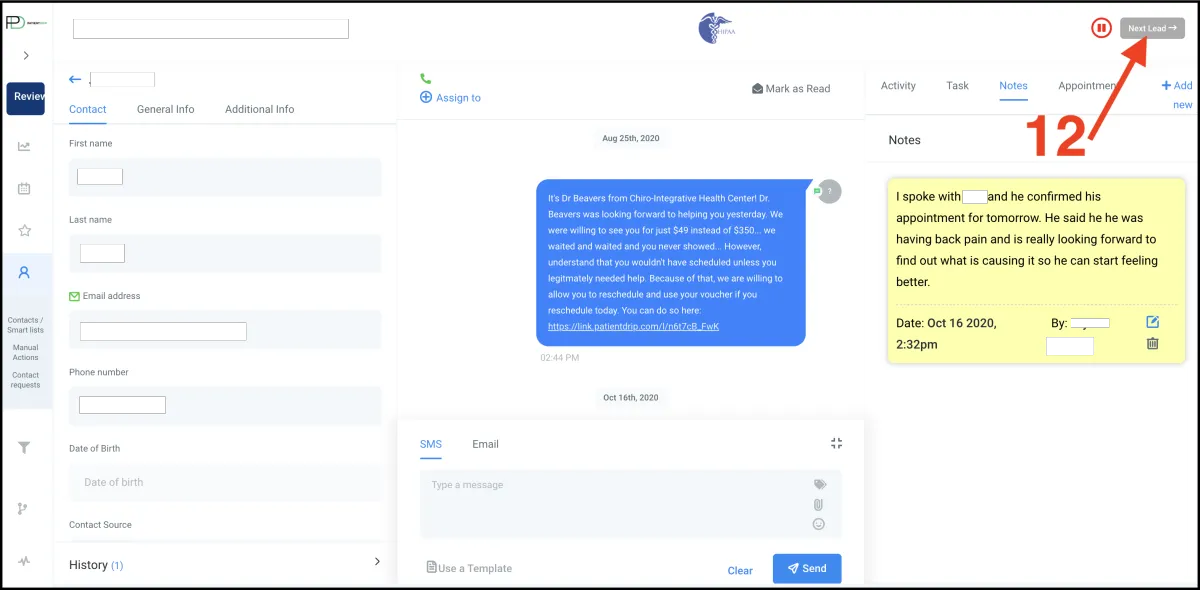
Evening Routine of Calling Patients Scheduled For Tomorrow
Desktop Instructions
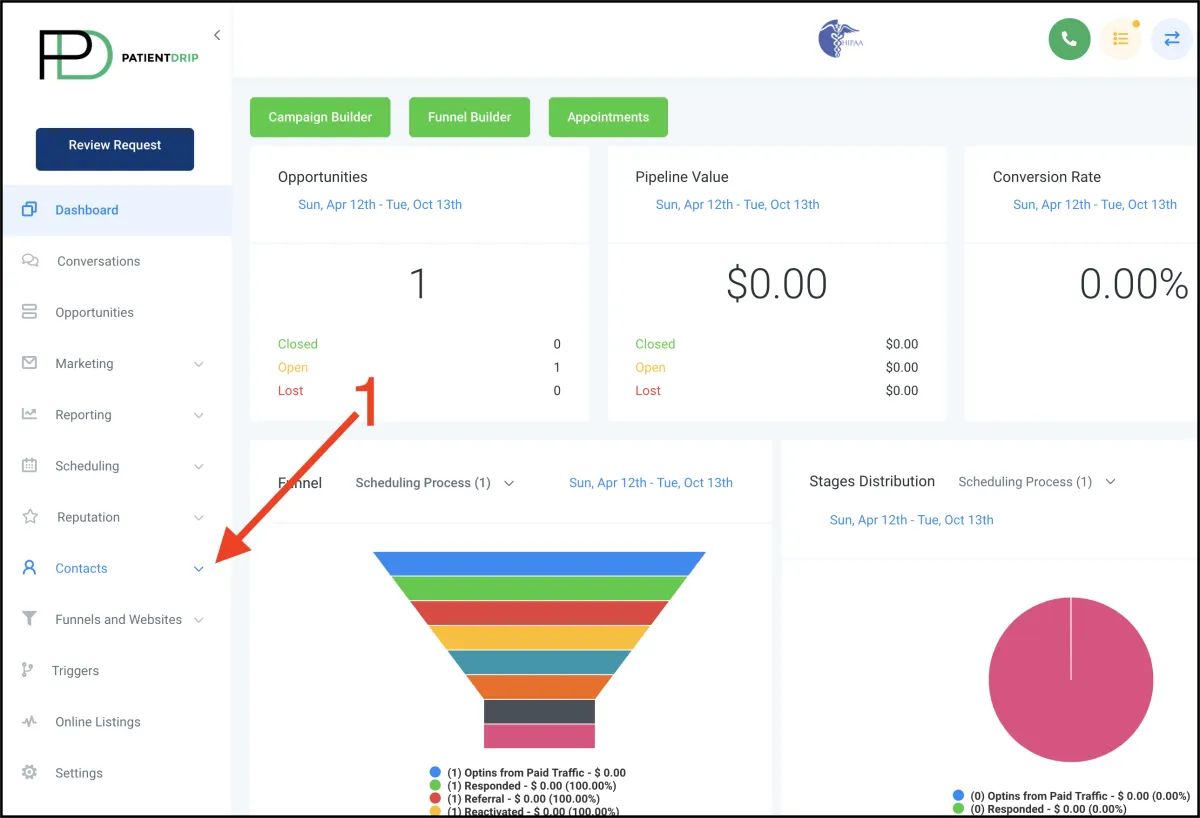
1. Click Contacts
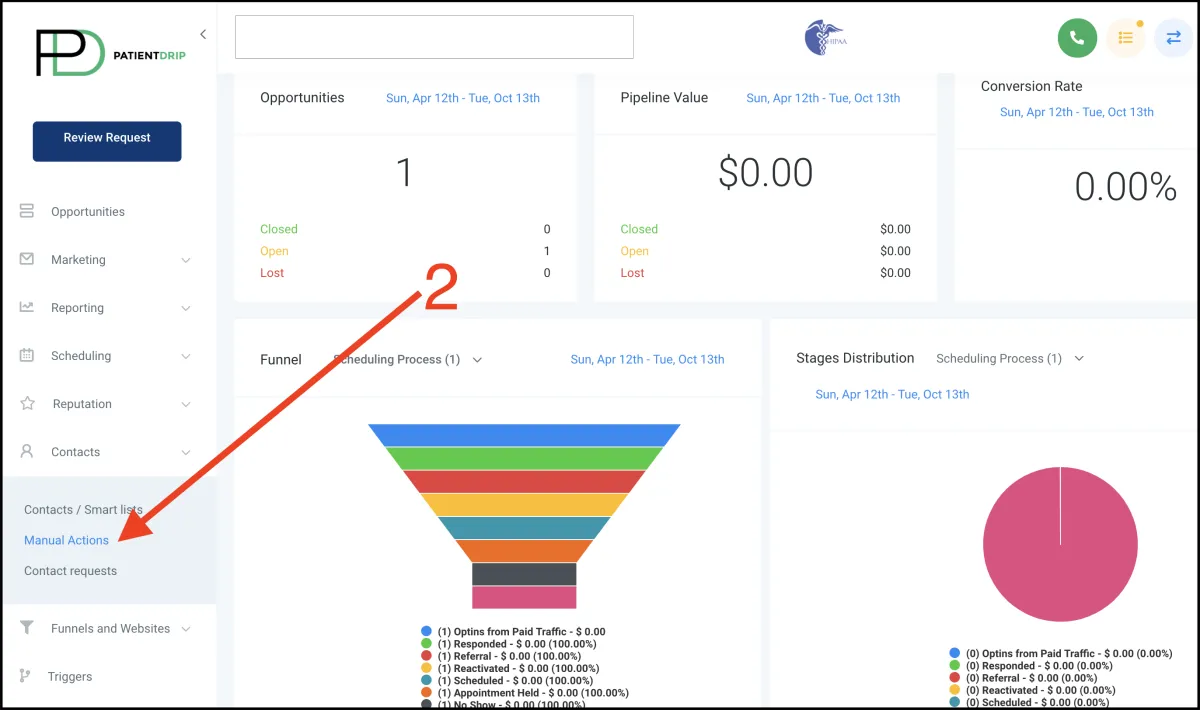
2. Click Manual Actions
3. Click Select Campaign
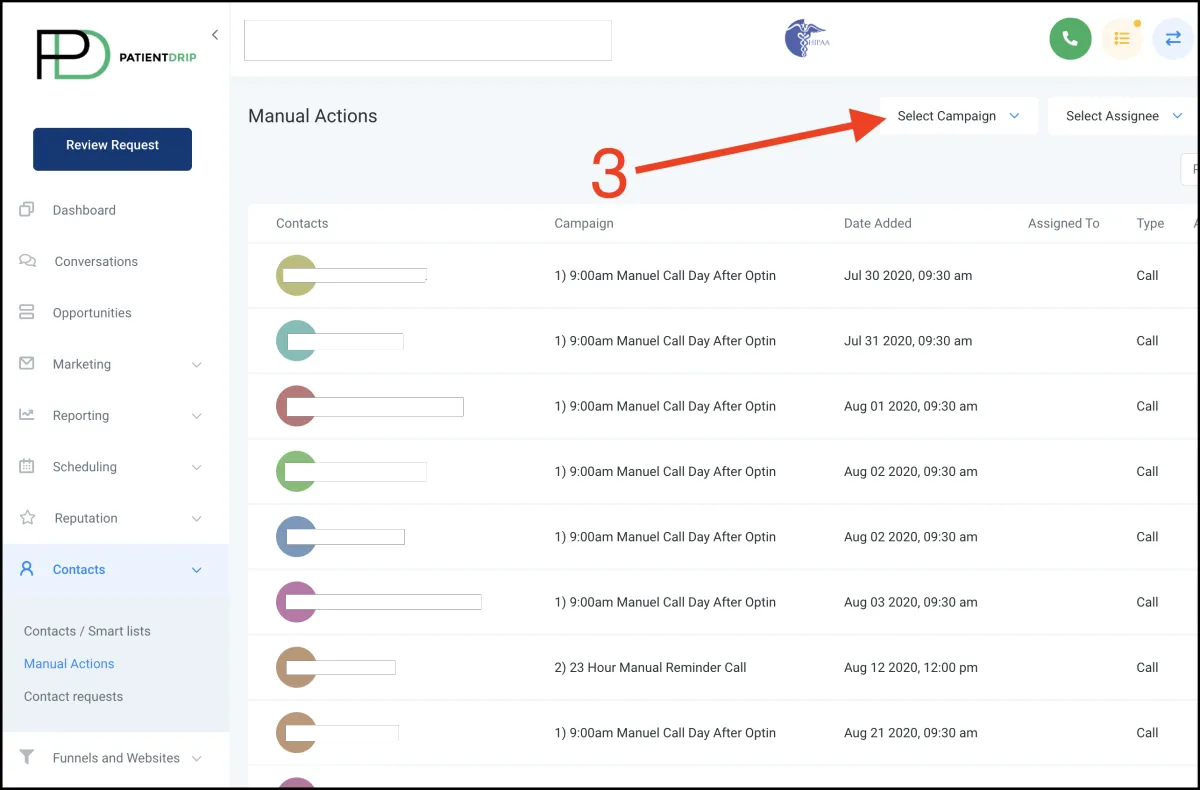
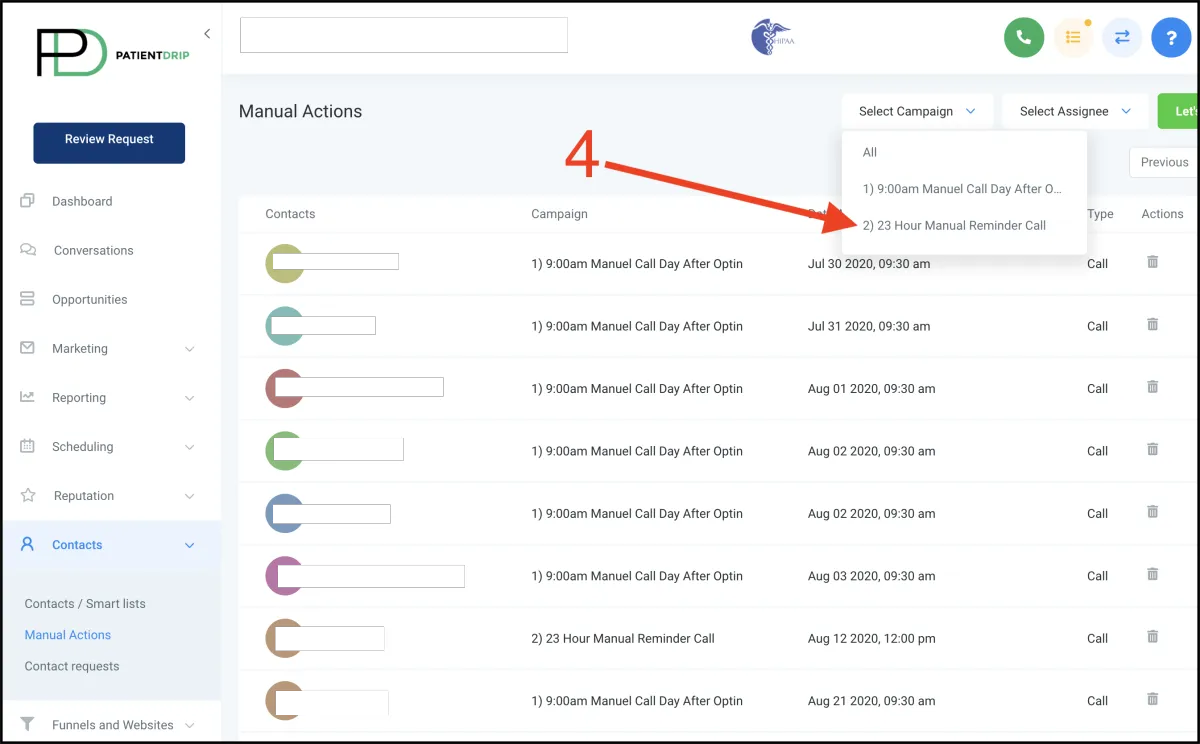
4. Select 2) 23 Hour Manual Reminder Call
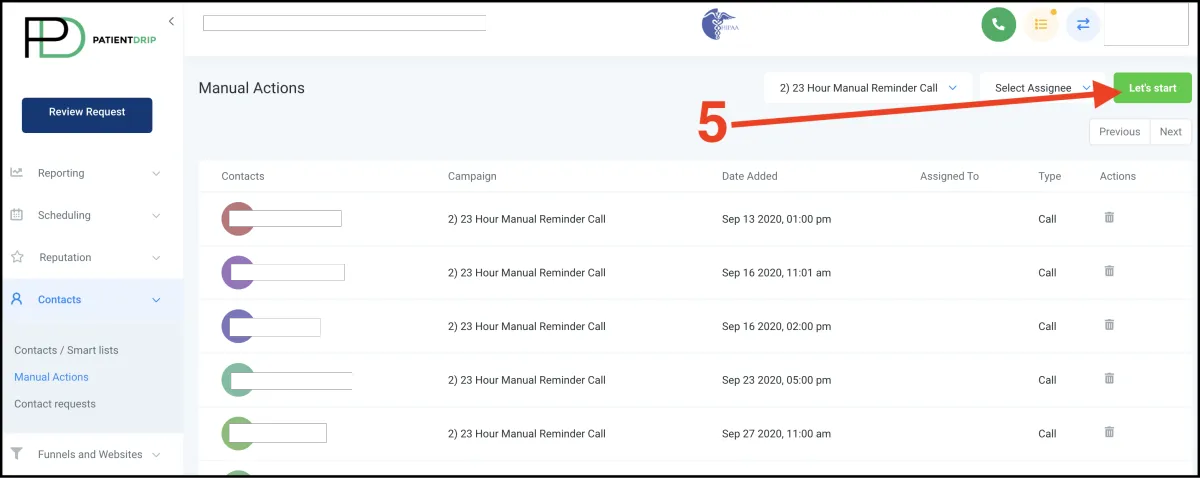
5. Select “Let’s start” and the computer will begin dialing patients scheduled
for tomorrow.
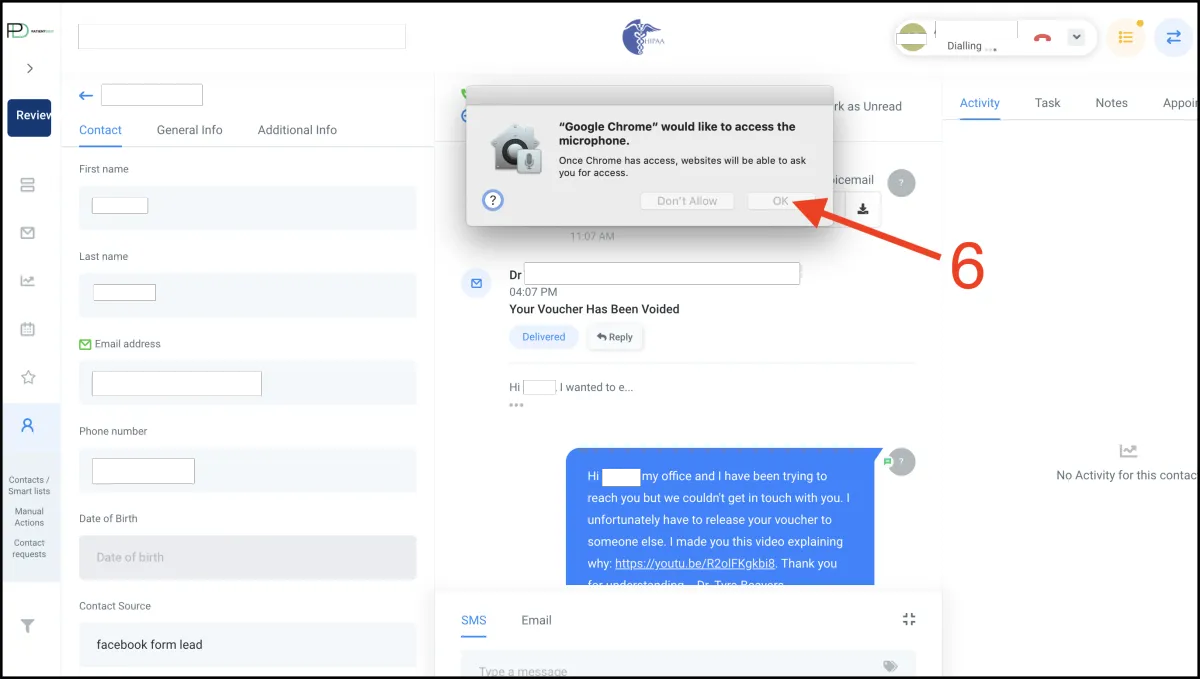
6. Select OK to allow your computer to access the microphone so you can make
calls directly from your computer. If you are using a PC instead of a Mac your
popup to allow microphone access will look different. If you already did this
you will skip this step.
7. Wait for them to answer and have conversation with them confirming their
appointment. Get three Yes’s from them regarding confirming their appointment.
This is not a reminder call, it is a confirmation call. So if they say they are coming
you say “Are you sure, because the doctor has other people scheduled that will
take that spot if you are unavailable to make it.” And get another yes before they
get off the phone.
8. Click drop down menu if you need to put them on hold or transfer them.
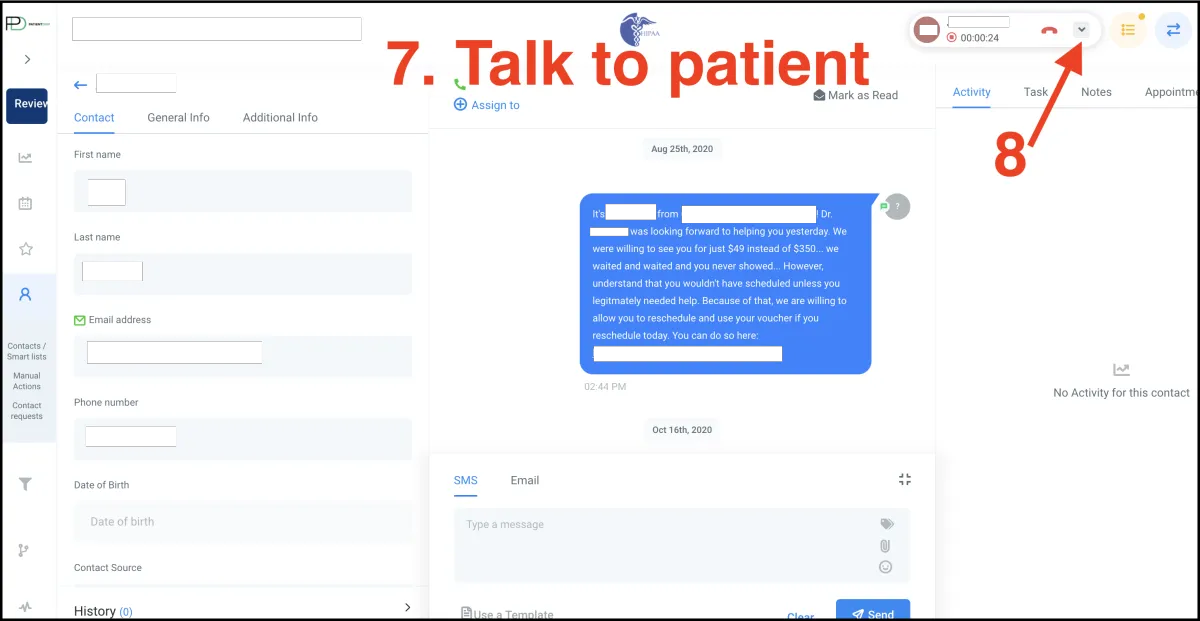
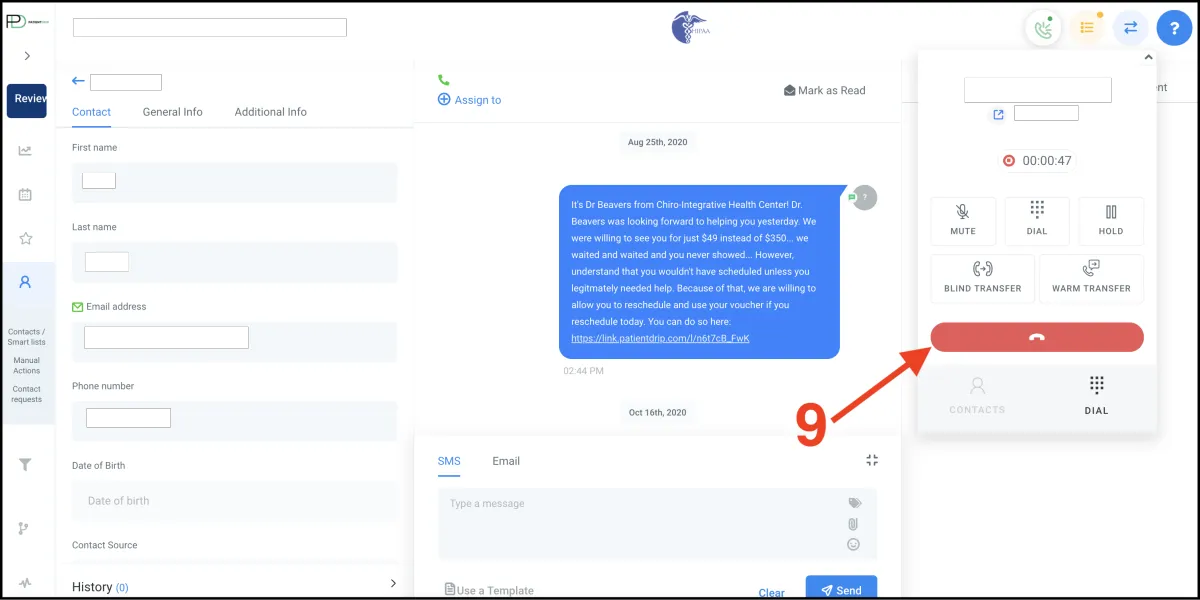
9. End the call by pressing the red button. If you did not expand the dialer, use
the small red phone button next to step 8 to end the call.
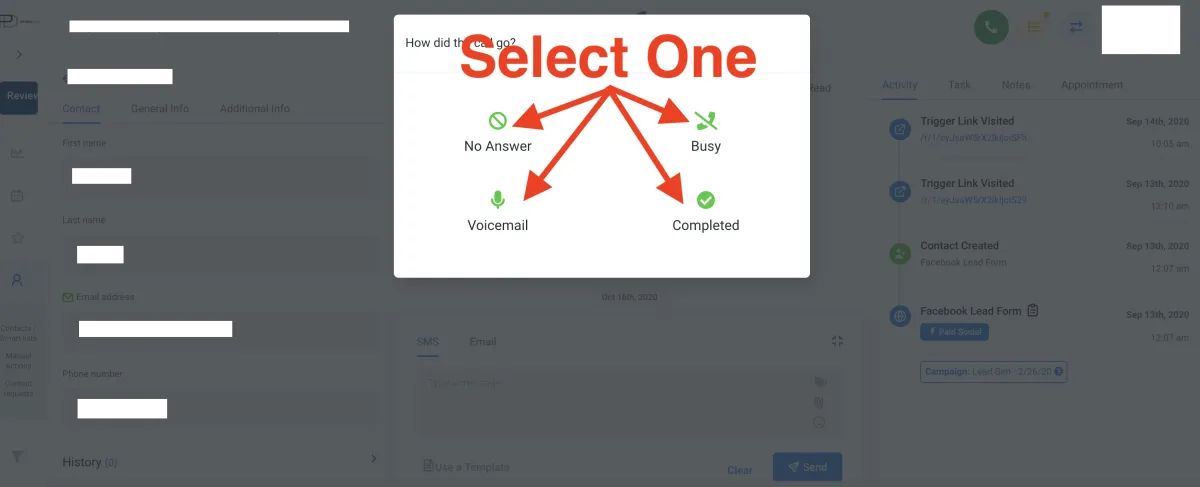
Select there was no answered, you left a voicemail, they were busy, or the call
was completed because they answered the phone and you spoke with them.
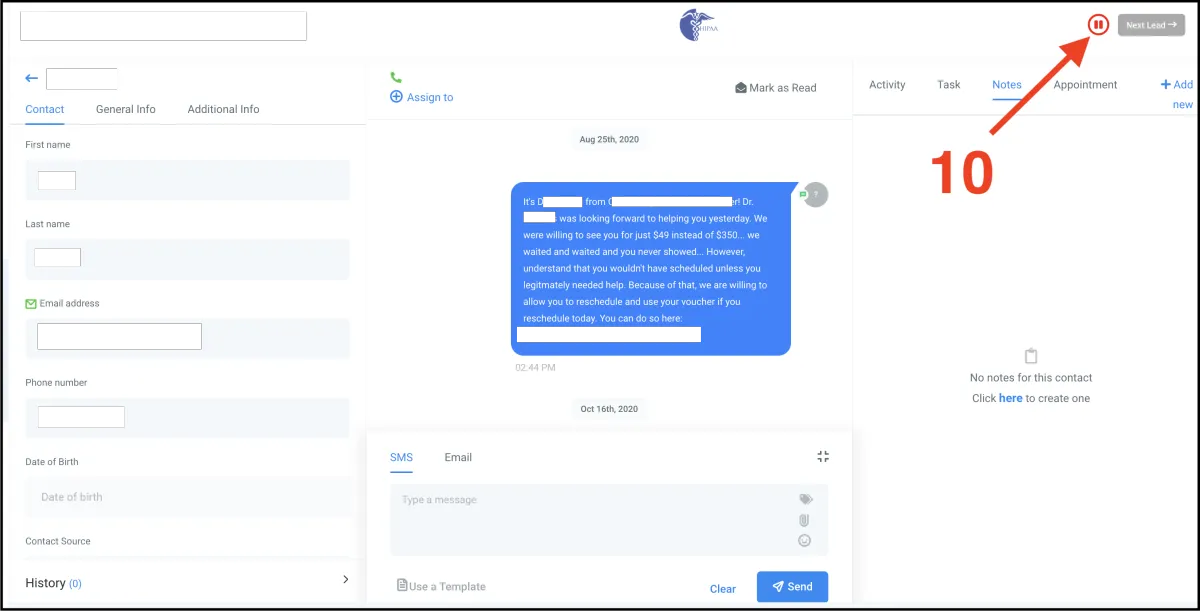
10. Select the pause button to prevent it from calling someone else before you
document how the call went.
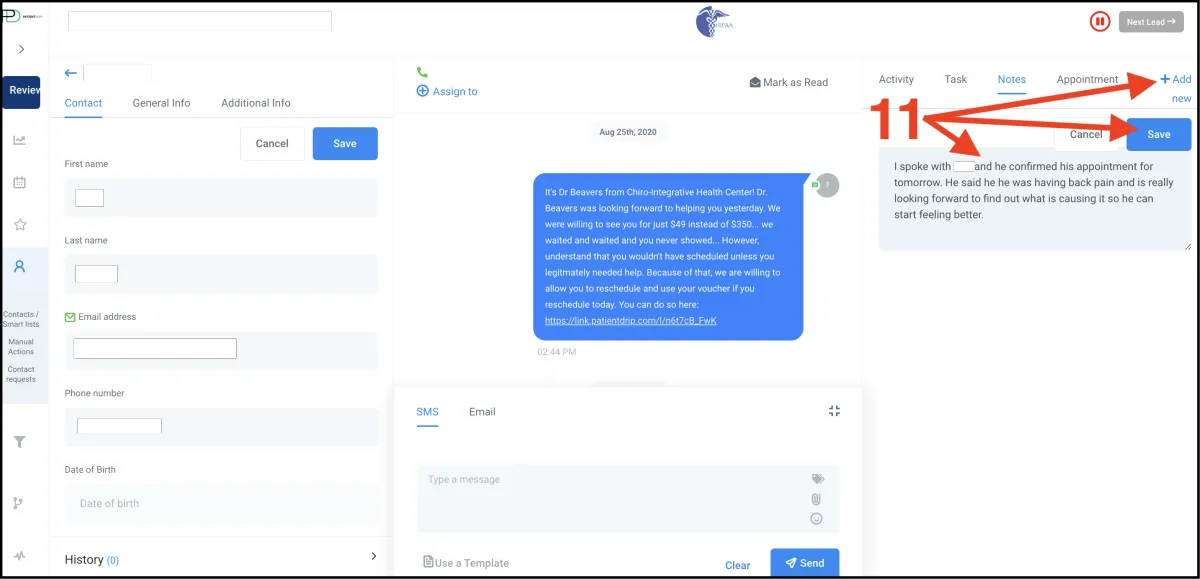
11. Select notes and then document the call
12. Select next lead to continue making confirmation calls